Hello Job Tracker
A job's page
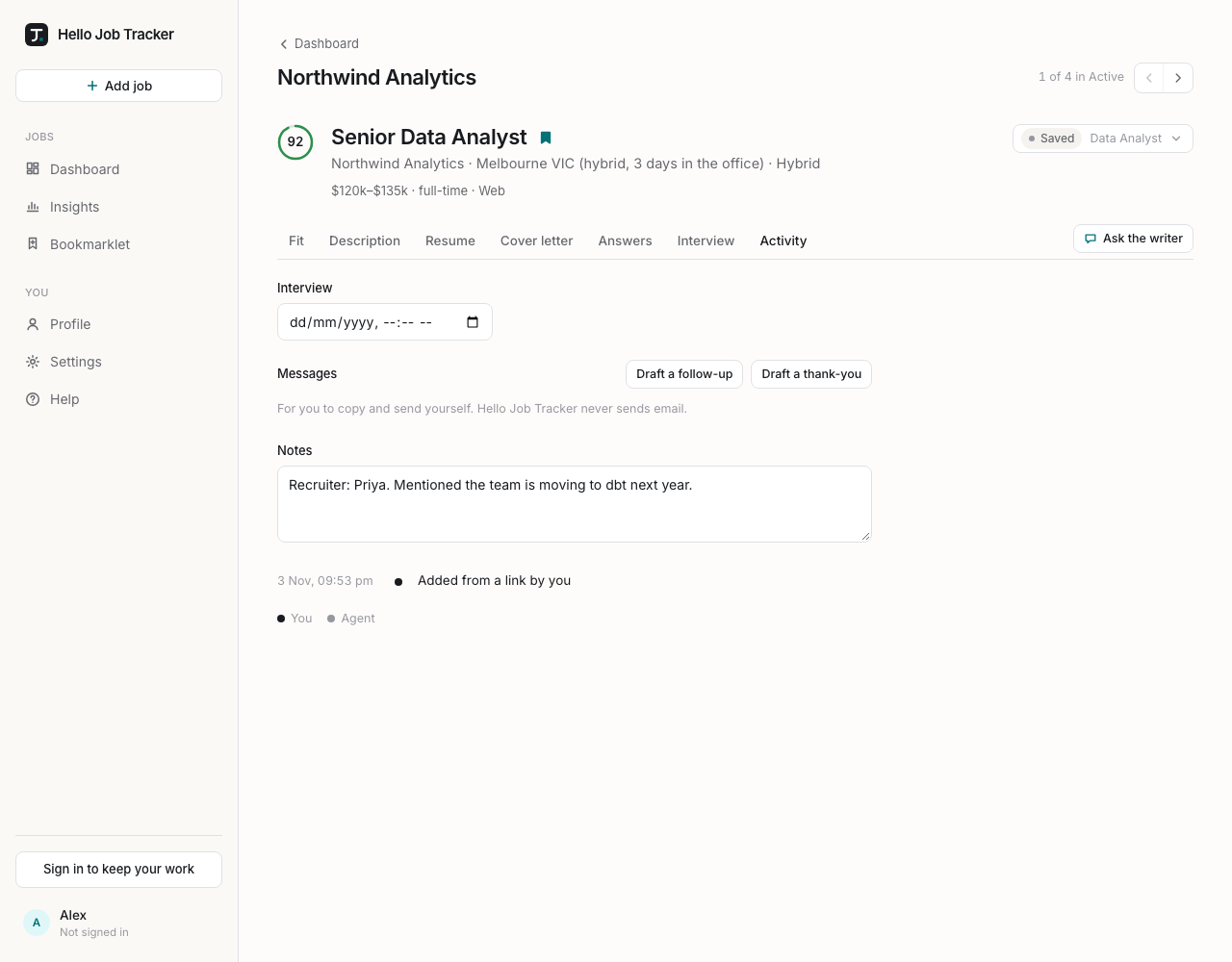
Click any job to open it. At the top are its score, title, company, location and work mode, then pay, employment type, posted and closing dates, and the sites it was found on. The bookmark beside the title pins it (see Pinning).
On the right, a line such as 2 of 5 in Active shows where it sits in the list you came from. The arrows, or the ← and → keys, step to the previous or next job in that same order, so you can work through a list without going back to it.
The button with the stage and category opens the job's actions:
- Stage: move it to Applied, Viewed, Interviewing, Offer, or to one of the finished stages (Rejected, Withdrawn, Closed, Dismissed), which move it to Archive.
- Category: one of your role categories, or Other.
- Open on Seek (or LinkedIn, Indeed, the web): one link per posting.
- Split: when a job has more than one posting, make one of them a job of its own.
- Re-read the posting: read the page again, for when the ad was updated. The description and fit update when it is done, and the Activity tab keeps an Undo this re-read.
- Dismiss: not for you. You can say why (optional; it is kept in the job's activity), and it moves to Archive. Archived jobs have Restore to Active instead.
Below that are the tabs: Fit, Description, Resume, Cover letter, Answers, Interview and Activity. Back, above the job's name, returns to the list you came from, as you left it.
- Description is the posting as it was read, with the site and date it came from and Open original.
- Activity has the Interview time (saved when you click away; Add to calendar downloads this job's closing date and interview as a calendar file), Messages (see Follow-ups and thank-yous), your Notes (contacts, dates, what you were told; saved when you click away) and the job's timeline: when it was added, every stage change, postings attached or split, and re-reads.