 Hello Job Tracker
Keeping track of your jobs
Stages
Every job has a stage, shown as a small pill on its row:
- In progress, on Active: Saved (added, not applied yet), Applied, Viewed, Interviewing, Offer.
- Finished, in Archive: Rejected, Withdrawn, Closed, Dismissed.
Change it from the job's actions, or on the board (below). Moving a job to a finished stage moves it to Archive; Restore brings it back. Nothing in Archive is deleted: documents and the timeline stay with it.
The job list
The dashboard's tiles choose which jobs it shows: Active, Pinned or Archived (see Dashboard).
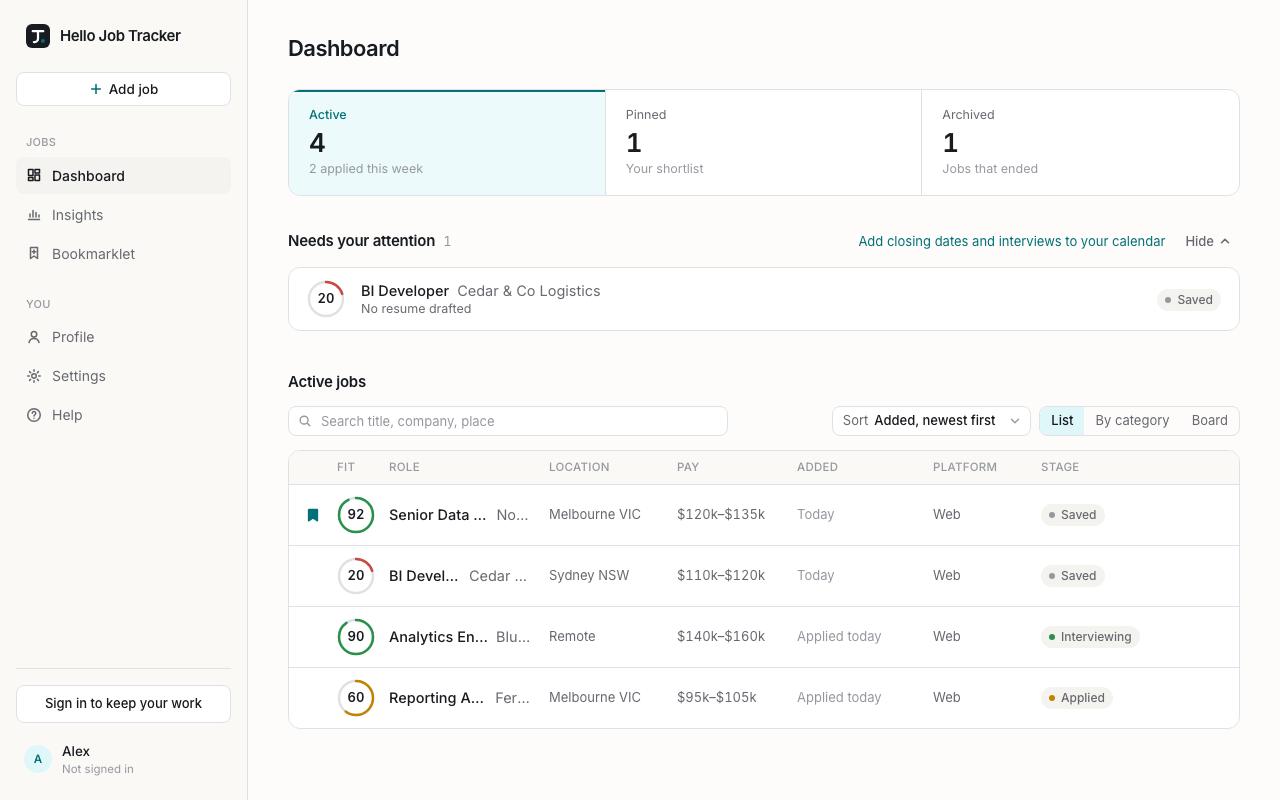
Each row is one job, in columns under a header: its pin, fit score, title and company, then the town or city (the full place on hover), pay, when it was added (or "Applied 3 days ago" once you have applied), the platform it was posted on, and its stage. On a phone each job is a small card instead.
- Search (left of the toolbar) matches title, company, location and category.
- Sort: newest added (the default), best or worst fit, or newest or oldest posted. Jobs with no score or no posted date go to the bottom.
- List, By category (one section per category, with counts) or Board.
- The dashboard's Pinned tile shows only your pinned jobs; the Active tile goes back to everything in progress.
- Dismiss appears when you hover over a row: say why if you like, then Move to Archive.
- While jobs are being assessed, a line at the top says how many; Stop all cancels them, and stopped jobs keep the score they had.
The board
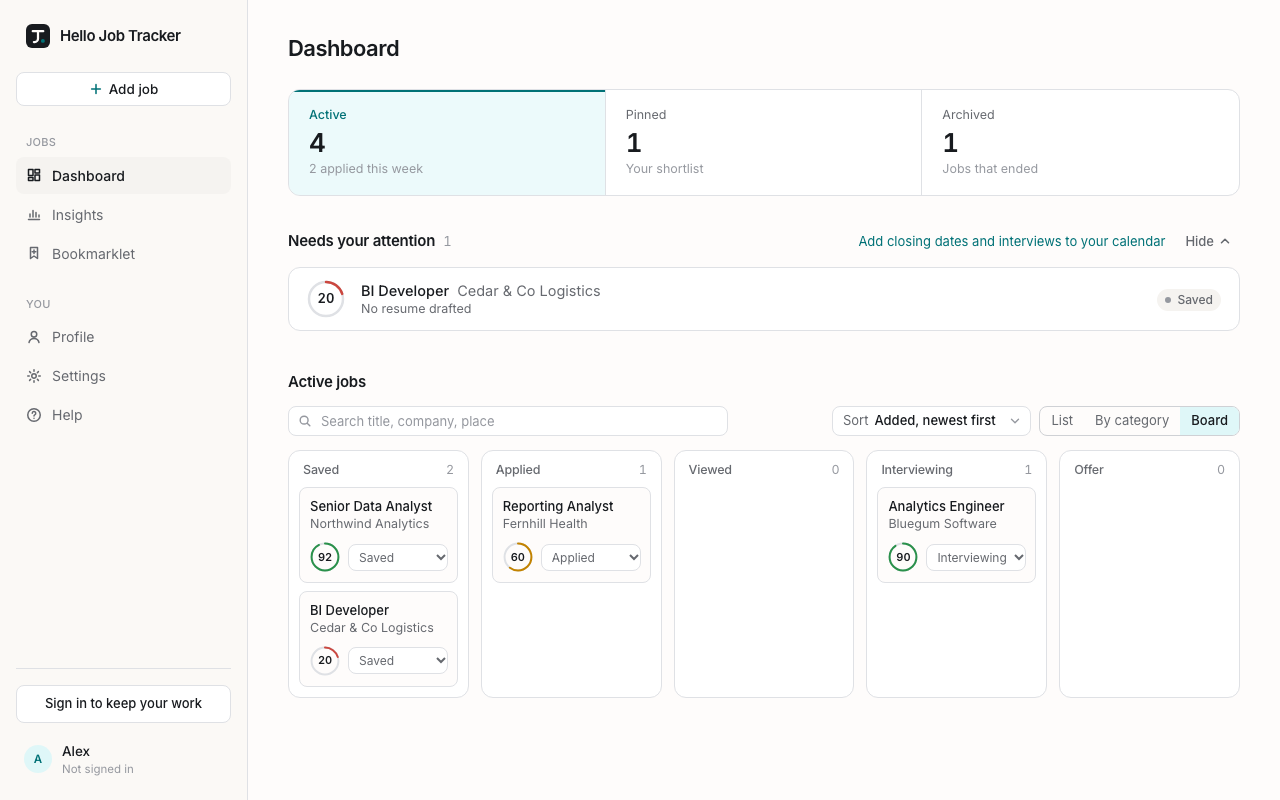
Board (in the Active view) shows your jobs in columns by stage: Saved, Applied, Viewed, Interviewing and Offer. Change a card's stage from its menu to move it along.
Pinning
Click the bookmark on a row, or beside a job's title, to pin it. Pinned jobs stay at the top of their list, whatever the sort, and the dashboard's Pinned tile shows them on their own. Click the bookmark again to unpin.