 Hello Job Tracker
The fit score
Each job gets a score out of 100, shown as a ring on every row and on its page: green from 75, amber from 50, red below. "…" means it is being measured; "–" means it has not been yet.
The Fit tab explains the score.
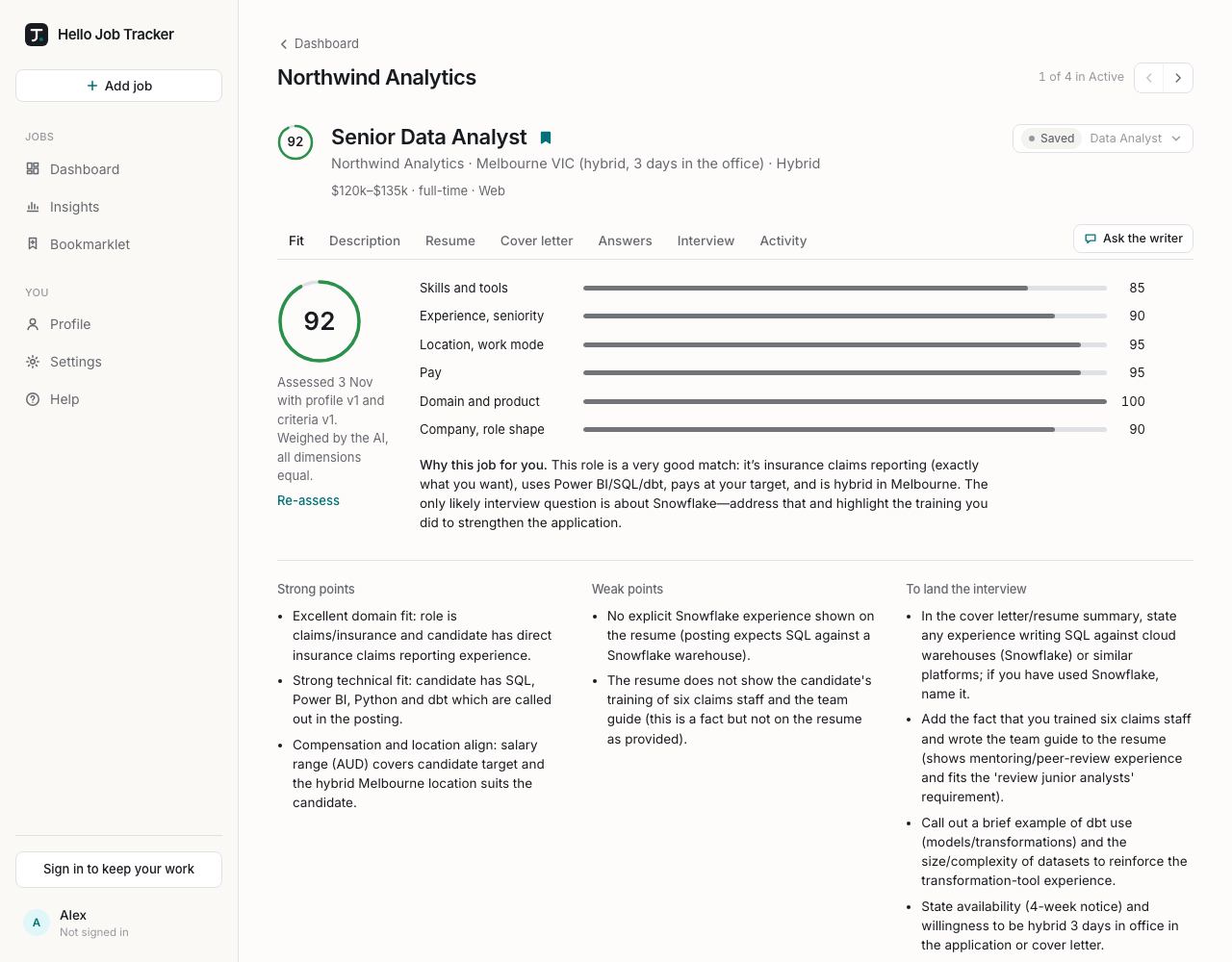
- Six dimensions, each scored on its own: Skills and tools, Experience, seniority, Location, work mode, Pay, Domain and product, and Company, role shape. Click a dimension to see why: a note, the words from the posting it is based on, and what in your profile it matched them against.
- Why this job for you: a sentence or two on the overall picture.
- Strong points, Weak points and To land the interview: what to lead with, what may count against you, and what would help.
- Deal-breakers: if the job hits one of yours (say, five days in the office when you will not do that), the score is capped at 30 and the tab says which one.
- The line under the score says when it was assessed and with which version of your profile and criteria. If either has changed since, a note says the score is out of date. Choose Re-assess to measure it again.
A first assessment takes about 20 seconds and runs in the background: you can leave the page, and the score appears in your lists when it is ready. Stop cancels one that is waiting or running.
Re-assessing after you change your profile
When you save a new resume, change your criteria or add facts about yourself, your existing scores are not silently redone. Hello Job Tracker asks Re-assess jobs? and lists your jobs: pick All, only the Out of date ones, or None, or tick them one by one. Each one is a model call. The rest keep their score, marked out of date, and you can re-assess any of them later from its Fit tab.
Changing only the weights (below) re-scores every job instantly, without calling the model.