 Hello Job Tracker
Settings: key, spending and models
Open Settings from the account menu.
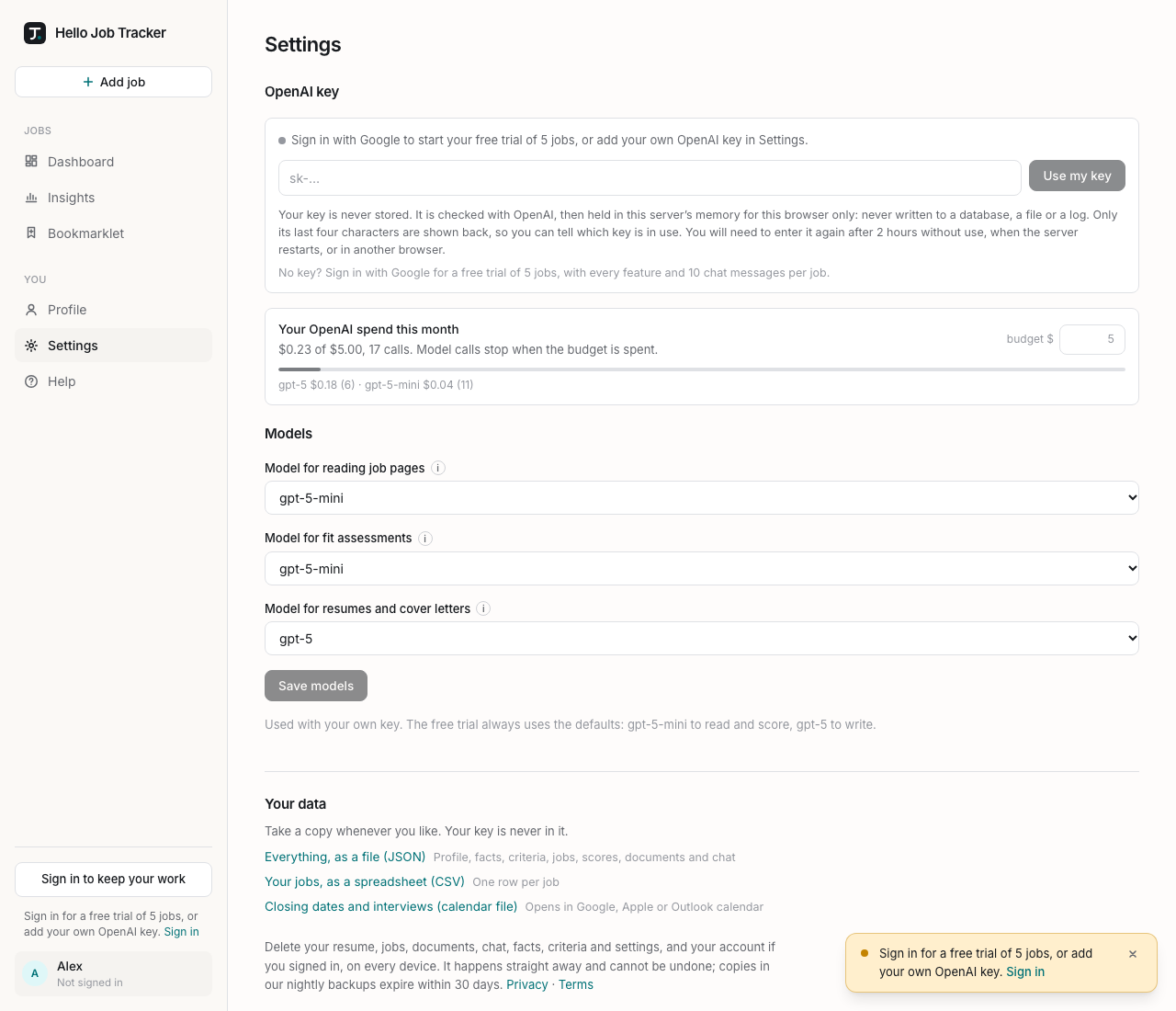
OpenAI key. The line at the top says what is in use: your key (its last four characters, and when it will be forgotten), or the free trial and how many of its jobs are used. Paste a key and choose Use my key, or Forget key. See Your OpenAI key, or the free trial.
Your OpenAI spend this month. What your key has spent through Hello Job Tracker this month, out of a budget you set ($5 to start; type a new amount and it saves itself), with the number of calls and a breakdown by model. When the budget is spent, model calls stop until next month or until you raise it. The bar turns red at 90%. This is on top of any limit you set in your OpenAI account, which is worth setting too.
Models. Which OpenAI model does each kind of work, when you use your own key:
- Model for reading job pages: pulling the details out of a posting.
- Model for fit assessments: scoring jobs.
- Model for resumes and cover letters: the writer, which also runs the chat, reads uploaded resumes and prepares interviews.
The i beside each explains the task, recommends a model and why, and lists each option's price and its rough cost per job. Choose Save models. The free trial always uses the defaults.