Hello Job Tracker
Tailored resumes and cover letters
Generating a resume
On a job's Resume tab, choose Generate resume. Optionally, say what to focus on first ("lead with the Power BI work, keep it to one page"). It takes about a minute, in the background; Stop writing cancels it.
The writer starts from your master resume and tailors it to the job: it rewrites your summary for this role, reorders and rewords your bullets to lead with what the job asks for, and cuts what does not help. It never adds an employer, title, date, degree, skill or achievement that is not in your master resume or your facts. Every line carries a note of where it came from, and a draft that cannot be traced is rejected rather than shown.
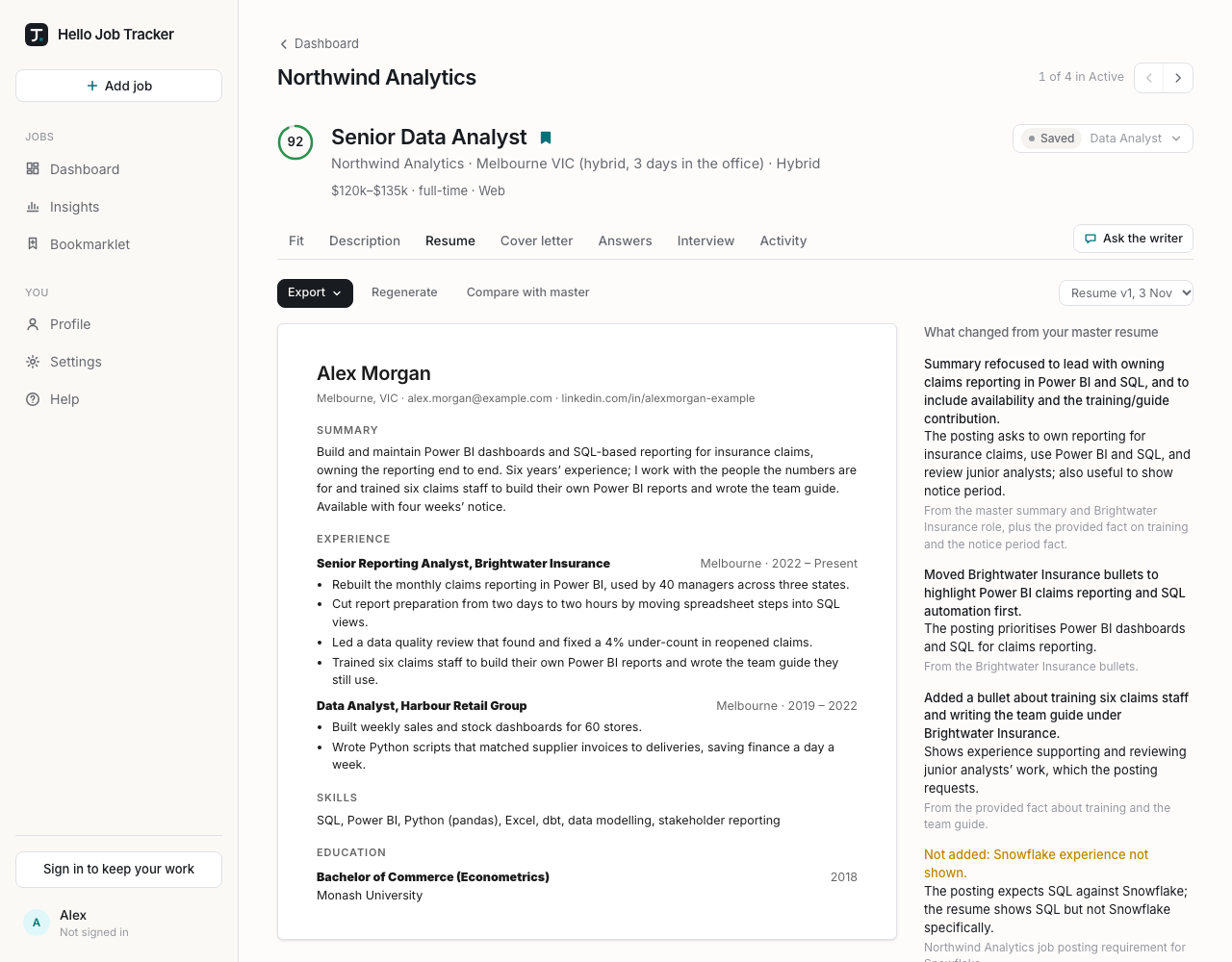
Beside the draft, What changed from your master resume lists the first few changes, and See all changes opens the full list:
- Changes: what was rewritten, reordered or cut, and why.
- Held back: things the posting asks for that nothing in your profile shows, so they were left out rather than invented. If one is actually true, add it as a fact (on About you, or by telling the chat) and regenerate.
- Reworded lines, each with the original beside it.
Compare with master highlights every line that differs from your master resume.
Generating a cover letter
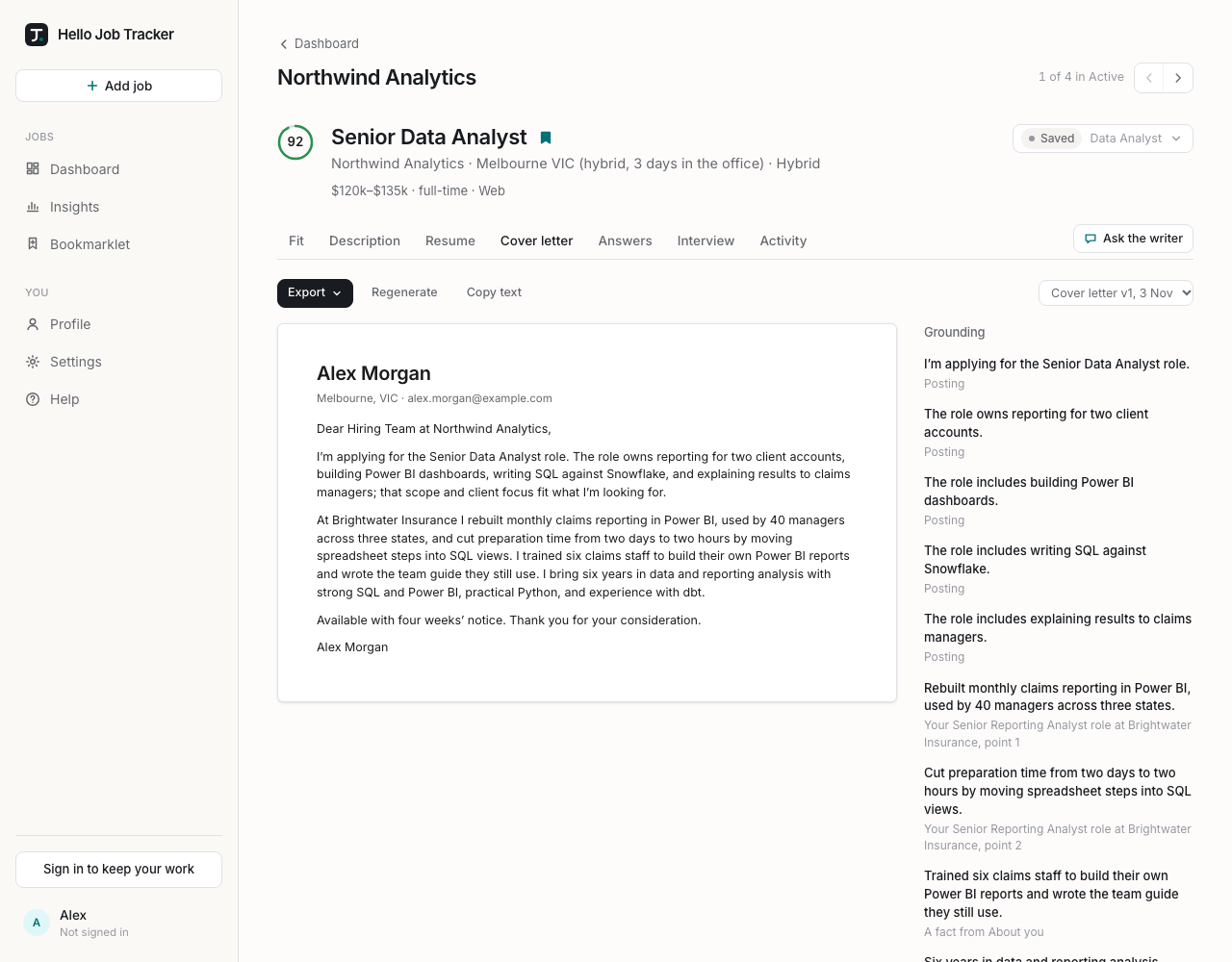
On the Cover letter tab, choose Generate cover letter. It reads from the tailored resume if there is one (generate the resume first for the best letter), otherwise from your master resume. Beside it, Grounding shows each claim in the letter and where it came from: the posting, your resume, or one of your facts. Copy text copies the letter for pasting into an application form.
Changing a draft
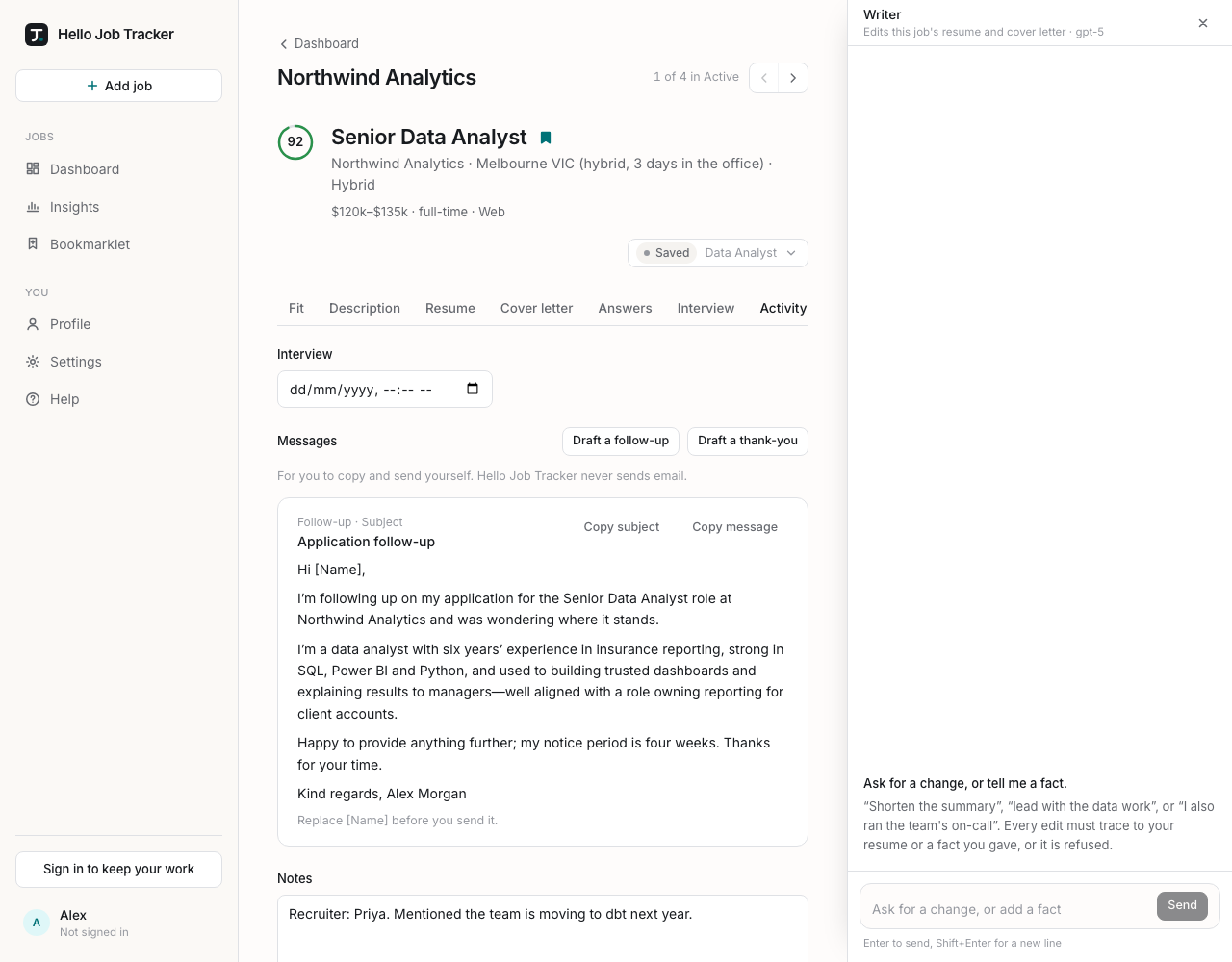
Ask the writer, beside the job's tabs, opens the writer's chat as a panel on the right of the window. It starts closed on every job, stays put while the page scrolls, and edits the drafts: "make the summary shorter", "lead with the claims reporting work", "drop the Harbour Retail bullets". You can also tell it something your resume does not show ("I used dbt at Brightwater for a year"); it saves that as a fact and can then use it. Each edit appears in the chat with a tick, and a request that would mean inventing something is refused with the reason. Enter sends, Shift+Enter starts a new line, and × or Esc closes it. It takes messages once a resume has been generated.
Regenerate writes a new version from scratch. You can say what to change this time; that request is remembered for this job, so later drafts of its resume, cover letter and interview preparation take it into account. Remembered requests are listed in the dialog, each with Forget.
Versions: nothing is overwritten. The list at the top right holds every version, marked when it came from the chat or was exported. Pick one to see it.
If your master resume has changed since a draft was written, a note says so. The draft stays exactly as it was; regenerate to use the new master.
Exporting
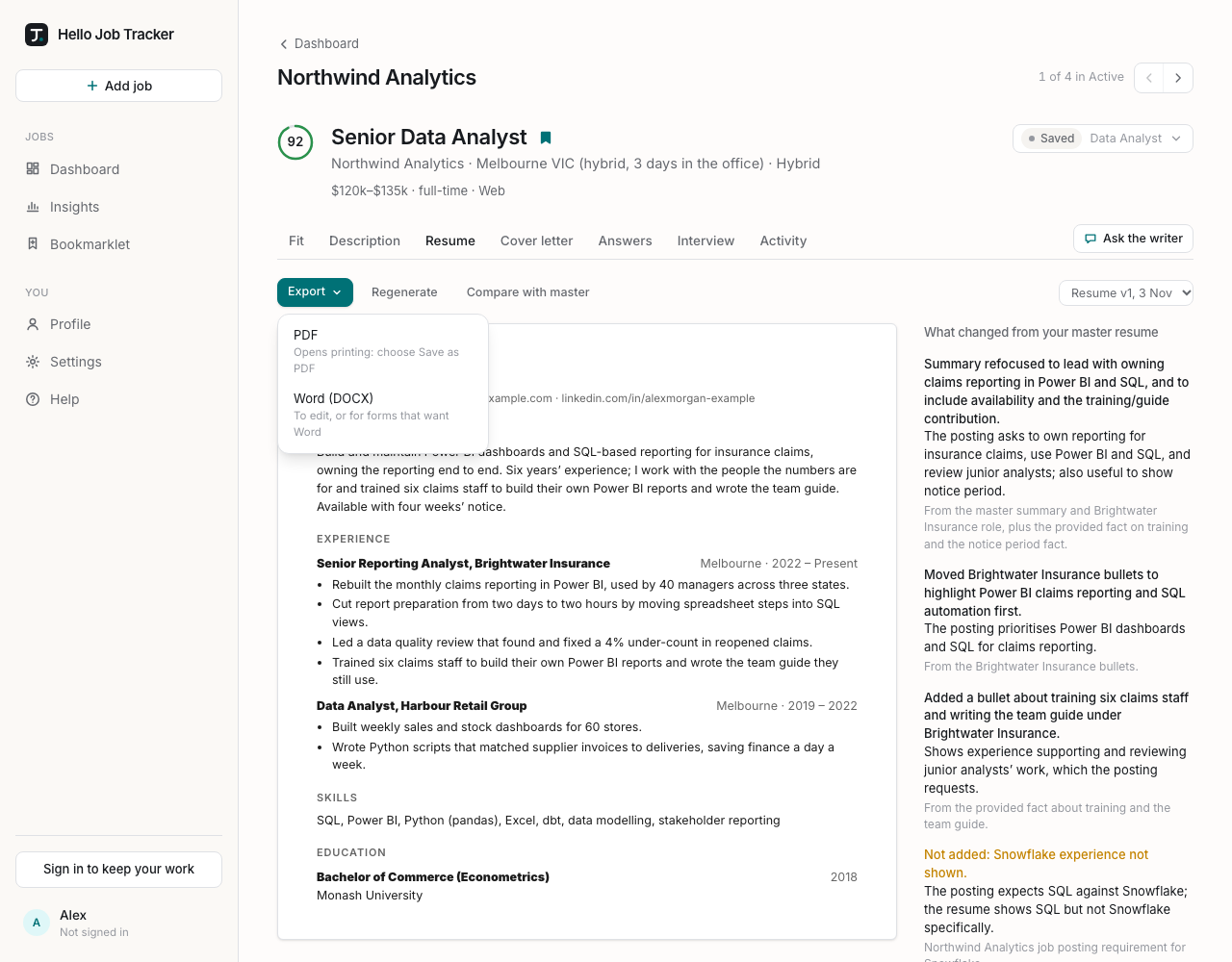
Choose Export:
- PDF: your browser's print window opens with the document ready. Choose Save as PDF as the printer (on a Mac: the PDF menu, then Save as PDF). The file is already named for you.
- Word (DOCX): the file downloads, for editing or for application forms that want Word.