 Hello Job Tracker
Adding jobs
Choose + Add job, paste the job's link and choose Read the page. Links from Seek, LinkedIn, Indeed and most company career pages work. Reading takes a few seconds; a counter shows it is still going, and Stop reading gives up.
When a site will not let the page be read
Some sites refuse to be read by anything but a person's browser, or ask you to sign in first. Hello Job Tracker then says so and offers Paste the job description instead.
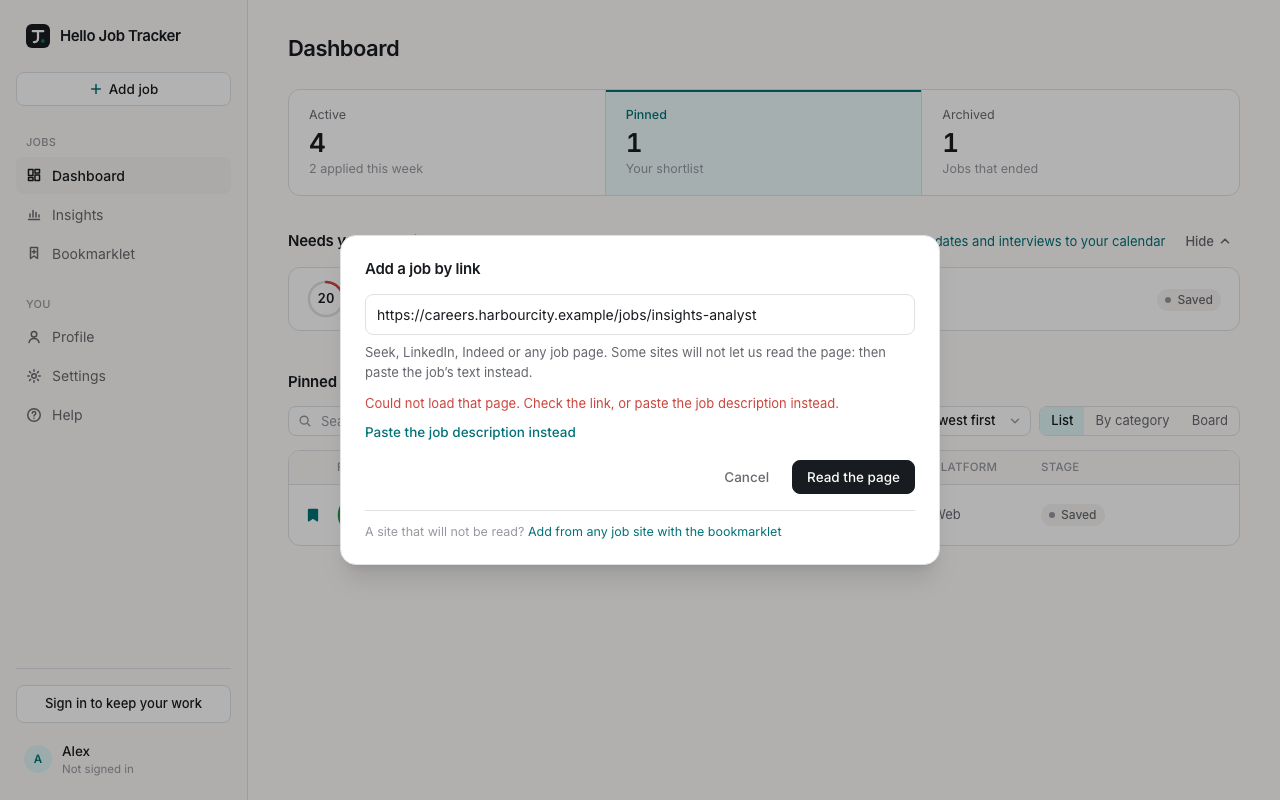
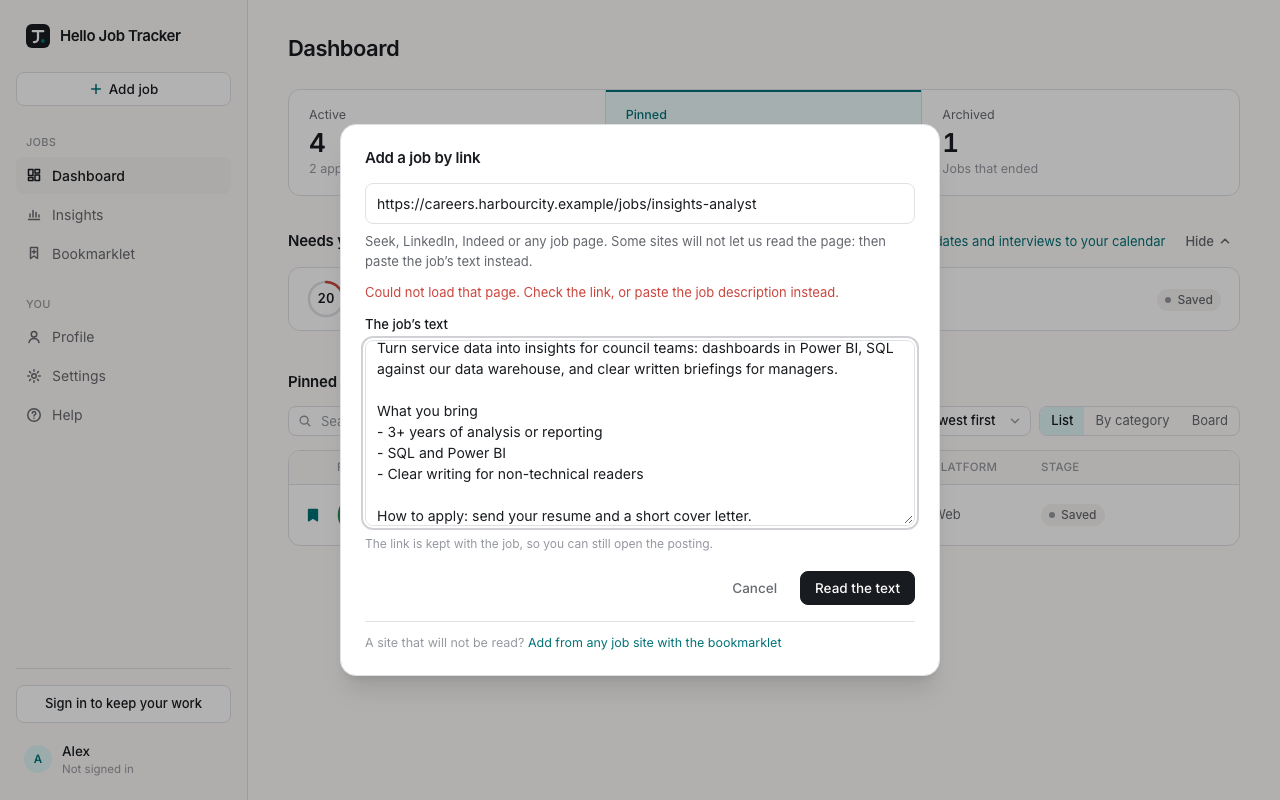
Open the posting in your browser, select the whole of it (title, company, location, pay and the description), copy it, paste it into The job's text and choose Read the text. The link you gave is kept with the job, so you can still open the posting from it. Or let the bookmarklet do the copying for you: see The bookmarklet.
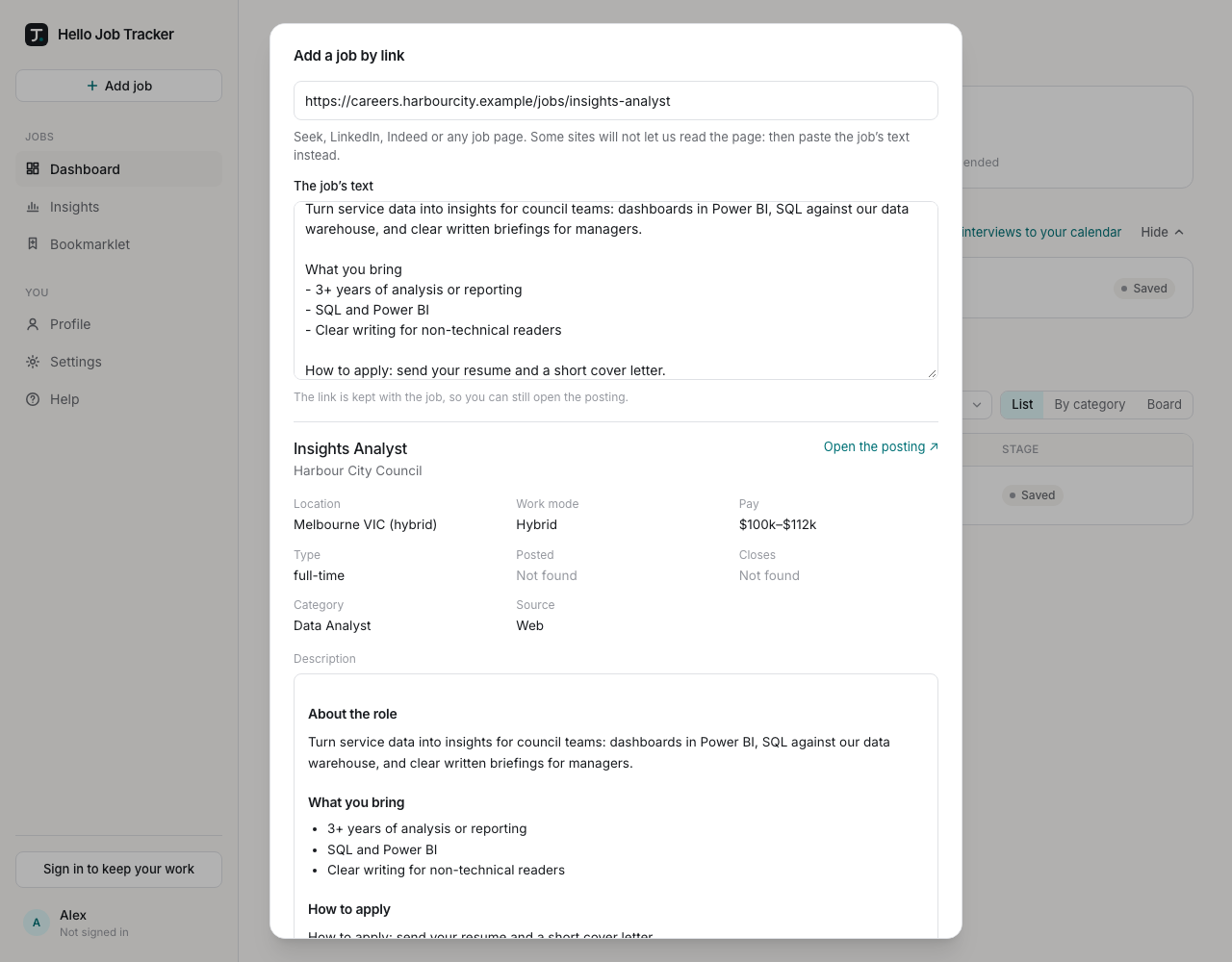
Check what was read, then add it
Nothing is saved until you have seen what was read: the title, company, location, work mode, pay, employment type, posted and closing dates, the category it was sorted into, where it came from, and the description. Anything the page did not say shows as "Not found". Choose Add to keep it; the job opens and its fit is measured in the background.
The same job, posted twice
The same role is often posted on Seek, LinkedIn and the company's own site. If it looks like a job you already track, Hello Job Tracker says which one and why:
- Attach to existing adds the new posting to that job, so it shows both links and you keep one job, not two.
- Create as new keeps them separate, if they are really different roles.
- For an exact match (the very same link), Open the job you have takes you to it.
A posting attached by mistake can be split off again from the job's page (Split, in the actions panel).